# Most Useful trick to Easily Access Webpage Elements in Chrome Dev Tools
Many times when we’re writing JavaScript code, we want to quickly test if some element on the webpage is present or not or count the list of elements displayed.
**To count the number of jobs displayed:**
```js
document.querySelectorAll('.job-item').length
```
**To get the text of the button:**
```js
document.querySelector('.btn').innerHTML
```
But it's tedious to type `document.querySelector` or `document.querySelectorAll` every time to do something in the browser while testing.
So chrome developer tools provide an easier way.
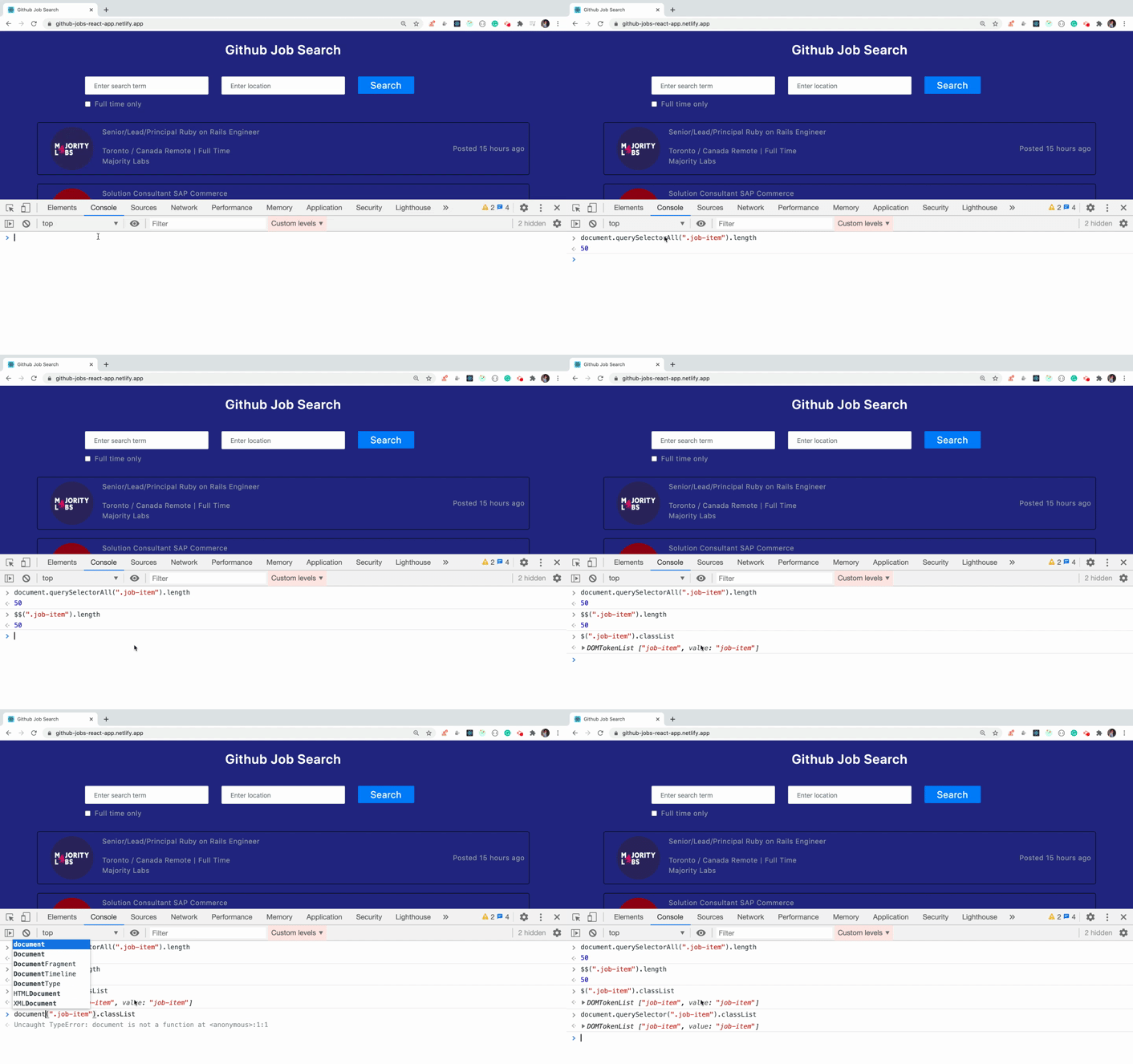
Instead of `document.querySelector` we can use `$` and instead of `document.querySelectorAll` we can use `$$`.
So no more need of typing the long text, just use `$` or `$$` and you’re done.
Check out the below gif to see that in action.
### Thanks for reading!
Want to learn all ES6+ features in detail including let and const, promises, various promise methods, array and object destructuring, arrow functions, async/await, import and export and a whole lot more from scratch?
Check out my [Mastering Modern JavaScript](https://modernjavascript.yogeshchavan.dev/) book. This book covers all the pre-requisites for learning React and helps you to become better at JavaScript and React.
**Check out free preview contents of the book [here](https://www.freecodecamp.org/news/learn-modern-javascript/).**
Also, you can check out my **free** [Introduction to React Router](https://yogeshchavan.podia.com/react-router-introduction) course to learn React Router from scratch.
Want to stay up to date with regular content regarding JavaScript, React, Node.js? [Follow me on LinkedIn](https://www.linkedin.com/in/yogesh-chavan97/).
[ ](https://bit.ly/3w0DGum)
[
](https://bit.ly/3w0DGum)
[ ](https://www.buymeacoffee.com/myogeshchavan97)